2 November 2026
Your MixMeister cuts, kept and editable
RideComposer 2.0.29 and 2.0.30: the MixMeister import keeps your cuts and splits, and the Track Editor lets you edit them: split, remove, copy, paste, undo.
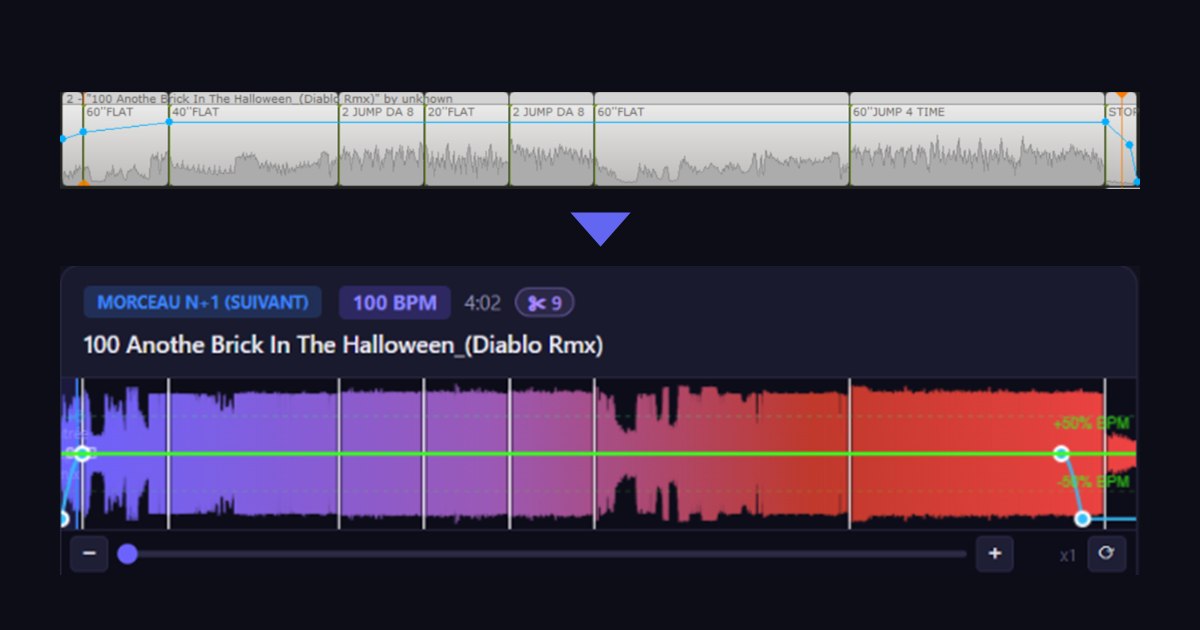
In MixMeister, you don't always play a track in full. You remove a silence or lyrics that don't fit, you delete a passage in the middle, you split the track into several parts to place your labels ("60'' flat", "2 jump"…). Until now, that work didn't come across on import. Since versions 2.0.29 and 2.0.30, it does — and you can edit it.
What the import keeps
Here is a track from a MixMeister ride, as it appears on the timeline:
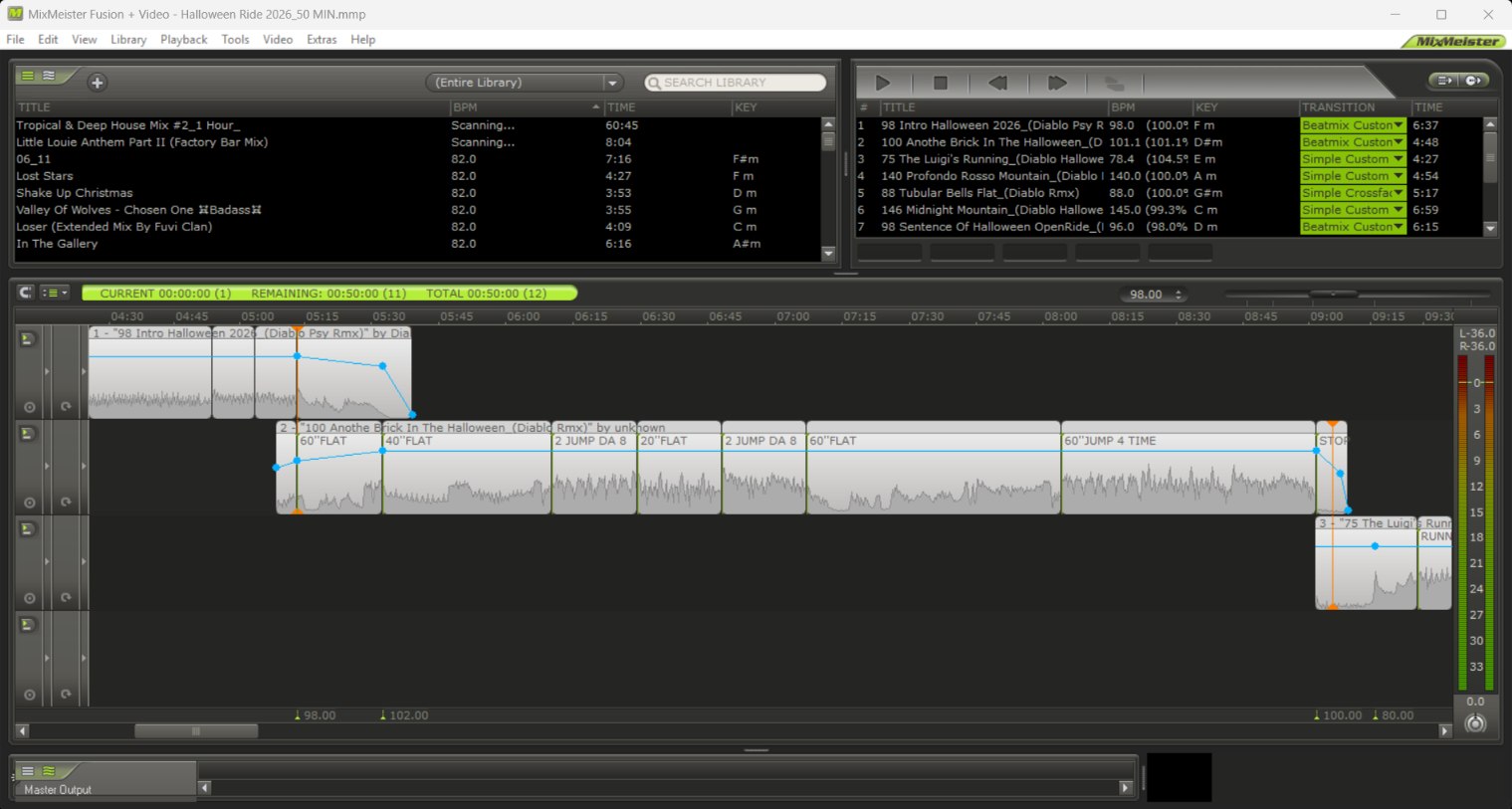
RideComposer keeps:
- the start or end you dragged;
- the passages deleted in the middle;
- the splits: every part of a track that was cut up;
- the leading silence, when you timed the music to a video;
- your labels, placed back on the right passage.
During playback, the passages follow one another in order, and a micro-fade of a few milliseconds softens each join. The ride's duration, the Coach Mode counter and the mix points take into account what is really played.
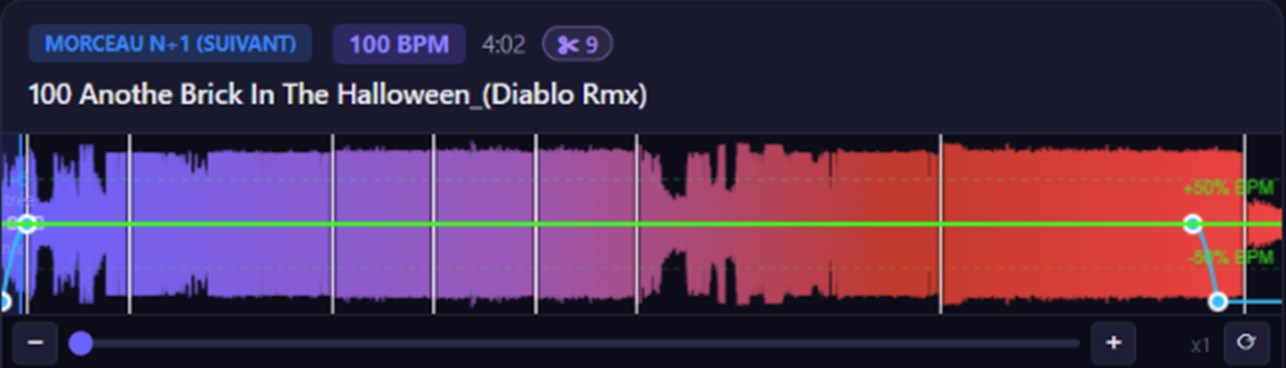
The same track in RideComposer: the parts appear in the waveform, separated by white lines, and the ✂ badge shows how many there are.
Editing them in the Track Editor
Importing isn't enough: you must be able to fix things. In the Track Editor toolbar:
- ✂ Split the track in two at the cursor — MixMeister's "Split segment at cursor";
- 🗑 Remove a part (Delete key);
- 📋 Copy (Ctrl+C) and 📥 Paste (Ctrl+V) at the cursor;
- Ctrl+Z to undo.
A click on the waveform picks the part under the cursor; a drag draws a zone, which can cross several parts: it is cut at its edges. Remove, copy or paste acts on what you picked.
Around these gestures, everything follows: each passage keeps its own labels, a pasted copy can be renamed without touching the original, and the mix point stays at the track's real end, even if you pasted a copy of the ending earlier.
Good to know
- Cuts belong to the ride, never to the library: the same file can be played in full in another ride.
- A ride imported before 2.0.30 did not keep its splits: import the MixMeister project again.
- On a track that is really cut, the tempo curve is not applied; RideComposer warns you when you cut a track that carries one.
If you're coming from MixMeister, our complete guide explains the rest of the move.
Download
These versions are available on ridecomposer.com. Editing cuts is described in §7.12 of the user manual.