24 July 2026
MixMeister Alternative for Indoor Cycling: The Complete Guide (Fusion and Studio)
MixMeister Fusion and Studio are discontinued — the publisher said so. What that means for an instructor, what happens to your files, and how RideComposer takes over.
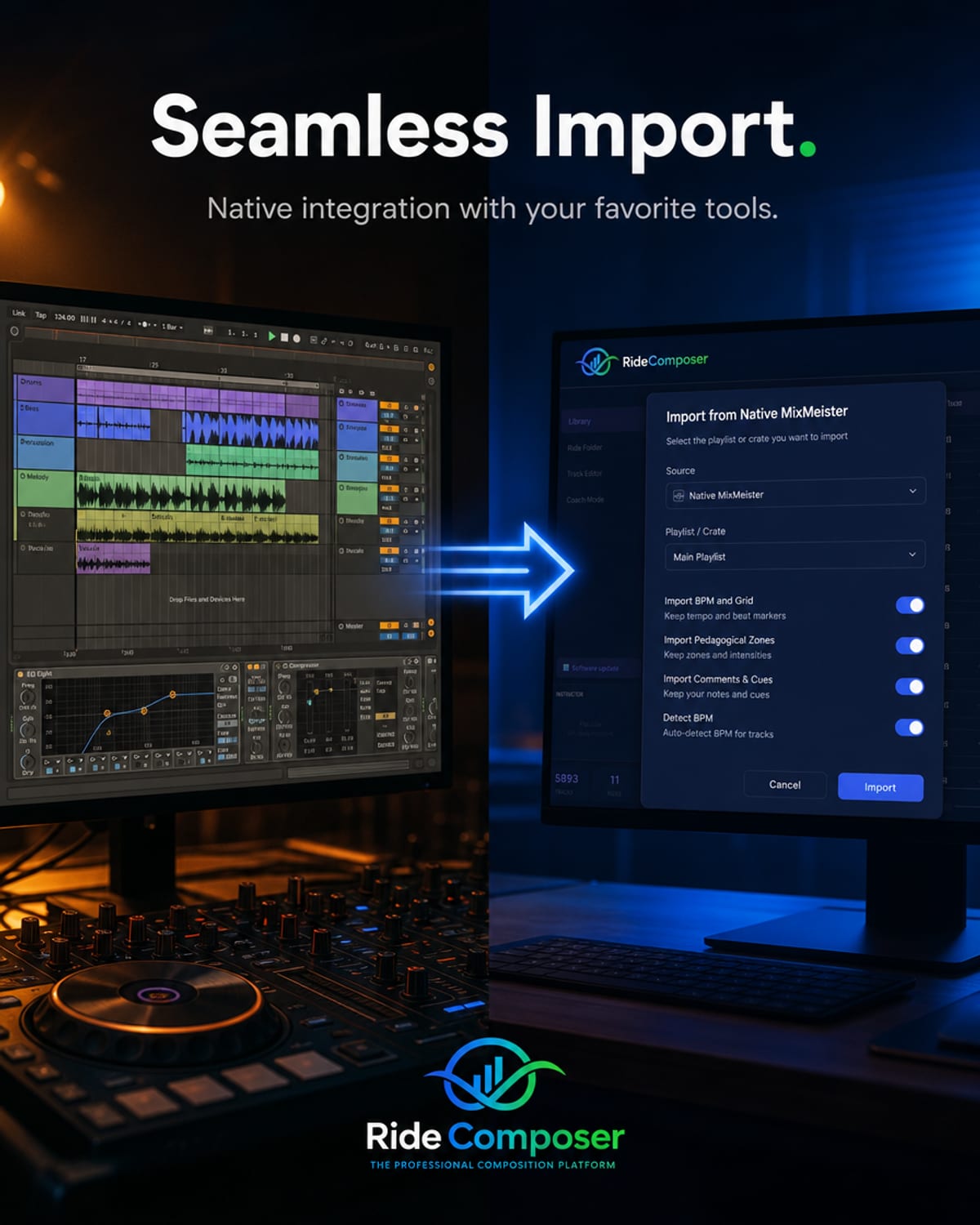
If you landed here, it's probably for one of three reasons: MixMeister won't install on your new computer, an update broke it, or you've finally accepted that it's never going to be updated again.
You're not alone — and the real question isn't "which DJ software should I pick". It's: what happens to the years of work sitting inside it?
This article answers both: where MixMeister actually stands today, and how to move your library onto maintained software built for indoor cycling.
Where MixMeister stands today
No need to speculate: the publisher announced it themselves, on their own website.
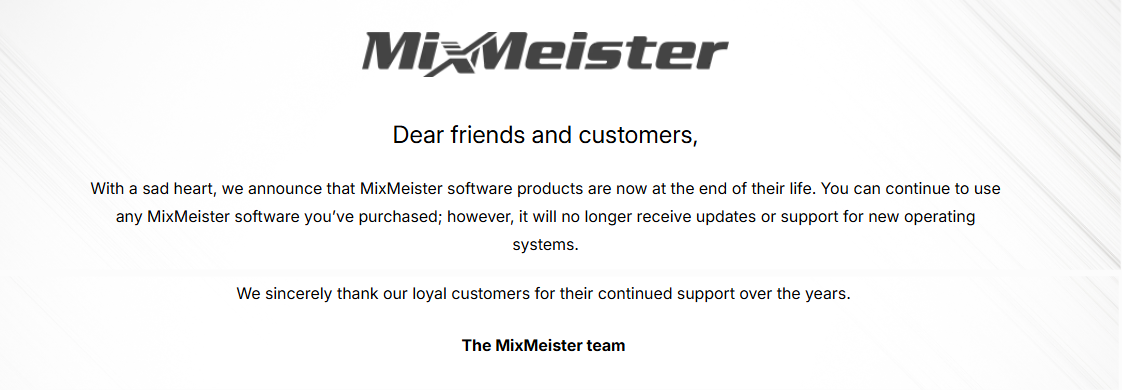
The announcement published by the MixMeister team on mixmeister.com.
"With a sad heart, we announce that MixMeister software products are now at the end of their life. You can continue to use any MixMeister software you've purchased; however, it will no longer receive updates or support for new operating systems."
That last sentence is the only one that matters to you. It isn't "the software is getting old" — it's an explicit commitment never to adapt it to future systems again. Every Windows or macOS update is now a gamble.
MixMeister came in two main versions: MixMeister Fusion (the one most instructors used) and MixMeister Studio, the lighter edition. Both now belong to the inMusic group, and neither is actively developed. The last significant release is 7.7, with documentation going up to 7.8.
What that means for you:
- It's no longer sold by most retailers. If you lose your licence or your installer, simply buying it again isn't a realistic option.
- No fixes are coming. Whatever breaks with your next system update stays broken.
- On Mac, it's often over. Apple Silicon machines (M1 through M4) create problems most instructors can no longer work around.
- On Windows 11 it often still runs — the late 64-bit release helps — but with no guarantee going forward.
To be fair to MixMeister: it did one genuinely hard thing very well, beat-matching, and it served an entire generation of instructors. Quality was never the problem. The problem is that unmaintained software eventually becomes a risk on the morning of your class.
The real issue: your files
This is the question nobody asks early enough, and it's the only one that truly matters.
Your MixMeister mixes live in project files (.mmp). Those aren't your music — they're your decisions. The running order, the cue points, the transitions you dialled in, the tempo you nudged by hand three years ago because the climb landed wrong.
An audio export doesn't save any of that. An MP3 of your class is the frozen result: you can't move a track, extend a section, or change a transition. Everything that was editable is gone.
Which gives you the one question worth asking any replacement: does it read my MixMeister files, or am I starting over?
Why DJ software isn't enough for an instructor
Most MixMeister alternatives you'll find are DJ tools. That makes sense — MixMeister was one. But you're not a DJ, and the two jobs don't need the same things.
A DJ blends tracks to keep the floor full. You build an effort: a warm-up, climbs, intervals, recovery, a cool-down. Music isn't the goal — it's the instrument of the effort profile.
What you actually need, and DJ software doesn't provide:
- Tempo as training data, not as a transition effect. 142 BPM is a climb at 71 revolutions per minute. 97 BPM is flat road. One wrong number and your whole block changes meaning.
- A readable session structure that matches the method you teach.
- Cues you can follow while coaching, without stepping back to the computer.
- Software that starts on class day, on the machine you actually own.
What RideComposer changes
RideComposer is Windows software built for certified indoor cycling instructors — not DJ software adapted after the fact.
| MixMeister (Fusion / Studio) | RideComposer | |
|---|---|---|
| Development | Discontinued | Active, regular updates |
| Built for | DJ mixing | Indoor cycling |
| Tempo | Tempo matching | Progressive tempo curve, ±50%, pitch preserved |
| During class | You stay at the screen | Coach Mode: it plays itself |
| Teaching methods | No concept of them | Spinning®, Schwinn Cycling®, Globe Cycling®, BICA |
| Your MixMeister files | — | Imported natively |
| Mac | Problematic (Apple Silicon) | On the roadmap |
The four things people mention most after switching:
The tempo curve. Speed a track up or slow it down by up to ±50% with no "chipmunk" effect. You can build a progressive climb on a single track, instead of hunting for three songs whose BPMs roughly line up.
Multiple loops. That twenty-second section that lifts the whole room: make it last as long as your block needs. The loop replays on its own.
Coach Mode. Your cues, curves and loops play back exactly as you prepared them. You watch the room, not the screen.
BPM detection. It was rebuilt from scratch after an instructor reported a wrong reading, then measured against nearly 2,000 tracks. Everything else rests on this: get the tempo wrong and your effort profile means nothing.
Importing your MixMeister files
This is the decisive part of the move: RideComposer imports your MixMeister files. It's the only software that does.
Your library comes with you. You're not starting from a blank page — you're picking up where you left off, on software that will still be here next year.
It's also why waiting isn't in your interest. While MixMeister still launches on your machine, your files are reachable. Once it stops launching, getting anything out becomes considerably harder.
What about Mac?
Let's be straight about it, because it's the most common question: RideComposer runs on Windows today. A macOS version is on the roadmap, with no announced date.
If you're on a Mac and MixMeister no longer runs, the immediate answer is a Windows PC — which is what the vast majority of studios use anyway. We'd rather tell you here than let you find out after downloading.
Migrating in practice
- Find your MixMeister files while they're still reachable and set them aside (a USB stick will do), along with the matching audio.
- Install RideComposer and start the trial.
- Import a class you know by heart. It's the best test: you'll see immediately whether the result matches what you had in mind.
- Play it back in Coach Mode, as if you were in the studio.
Frequently asked questions
Does MixMeister still work on Windows 11? Often yes, but with no guarantee and no fixes coming. It works right up until it doesn't.
Can I still buy MixMeister Fusion? It's no longer offered by most retailers. Treat a lost licence as unrecoverable.
What's the difference between MixMeister Fusion and Studio? Fusion was the full version, Studio the lighter one. Both are discontinued.
I was searching for "RideMeister" — is that the same thing? That's a common mix-up between MixMeister and RideComposer. The DJ mixing software is MixMeister; the indoor cycling software described here is RideComposer.
Is there a free MixMeister alternative? There are free DJ tools, but none of them handle an effort profile, a teaching method, or a way to run the class itself. You trade money for preparation time.
Can I give participants my track list? Yes, and on every plan — RideComposer exports your class track list as a PDF, which is the classic end-of-session request.
Try it
RideComposer is free to try: 10 openings of the software, used whenever you like within 30 days. These aren't ten calendar days ticking away while you're busy — a trial is only used up when you actually open the software. After that, from €9.90/month.
The interface is available in nine languages, and the full manual is readable online with nothing to hand over in exchange.
🔍 See the side-by-side comparison with MixMeister ▶️ See the interactive demo ⬇️ Start your free trial
If MixMeister left you stranded, your rides have a new home — and your old files are welcome.