15 September 2026
The phone: the screen for instructors who don't own the studio
Your ride now follows you onto the phone you already teach with. Downloaded to the device, it plays with no network at all — and that is where it matters.
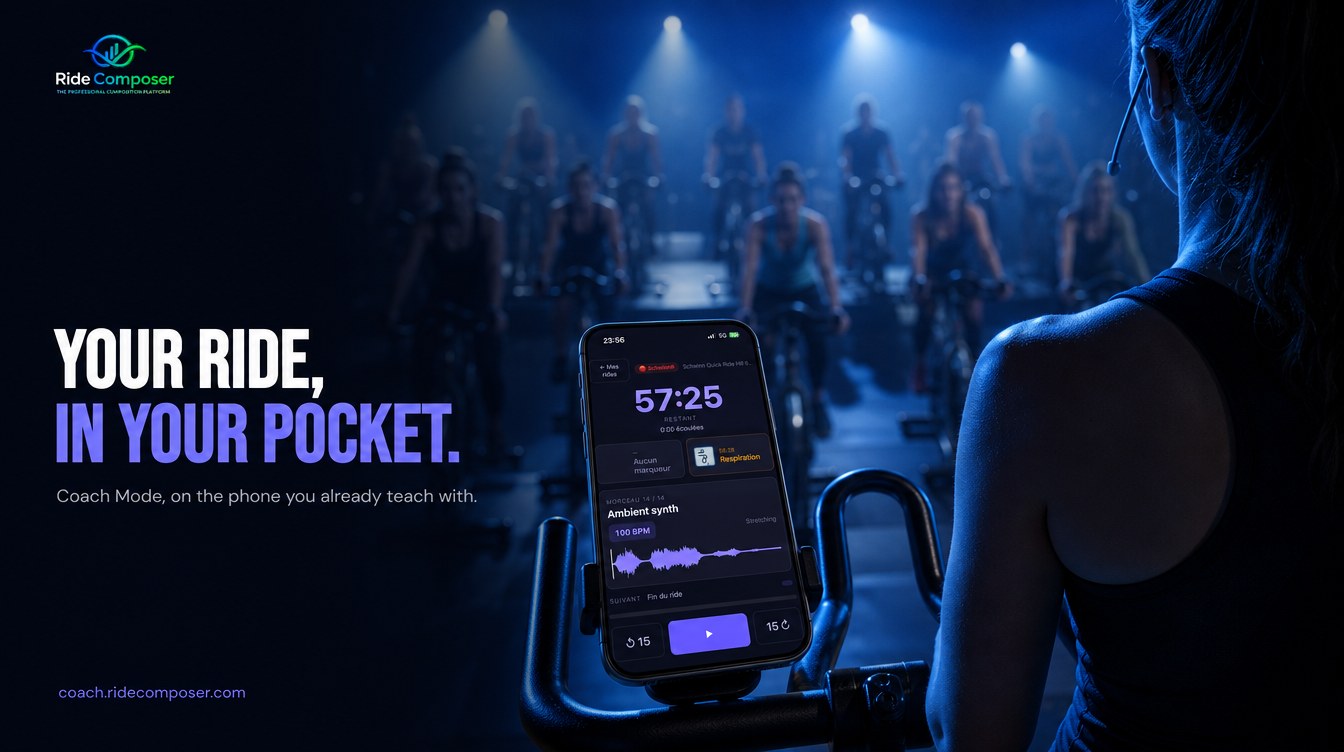
You arrive at 6:45 pm in a studio that isn't yours. You teach there twice a week, you don't have the key to the equipment room, and nobody is going to let you plug anything into the screen at the back.
You step onto the podium with what you have: your music, your printed ride sheet, and your memory.
That is where most instructors stand. The one who owns the studio installs a second screen and works in Coach Mode on a large display. The one who moves between three clubs installs nothing at all. They compose at home, and they arrive with a recollection.
What gets lost between the preparation and the class
A ride built properly is an hour of work: the tracks in order, the transitions set, the techniques placed where they belong, the breathing markers, the intensity zones.
And on the night, all that survives as a single sheet of paper — when it hasn't stayed on the kitchen table.
So you improvise. Often rather well: a good instructor always lands on their feet. But you are improvising over work you had already done.
What changes
From the application, you save your ride online. At the club, you open coach.ridecomposer.com in your phone's browser, and there is the Coach screen exactly as you know it: the waveform of the current track, its BPM, the next track, your techniques and markers arriving, the time remaining.
Not a reduced version. The same screen, on a device already in your pocket.
Three steps:
- In RideComposer, save online the ride you have just built.
- On the phone, open
coach.ridecomposer.comand sign in. - Tap ⬇ on the ride: it comes down onto the device.
The part that really matters: offline
That third step isn't a convenience. It is the heart of the thing.
Once the ride is downloaded, it plays with no network at all. Music included. You can put the phone in Airplane mode: the class runs exactly the same.
We insisted on this for a simple reason. Gym Wi-Fi is temperamental, basements don't get signal, and there is no worse moment to discover a dropout than the one where forty people are waiting for the first track.
A class cannot depend on a bar of reception.
And the rule was written both ways: if the server can't be reached, nothing is erased. Your downloaded rides stay put. The server has to answer and explicitly refuse — a subscription that has ended — before anything is removed from the device.
"So where does the sound come out?"
Out of the phone, the same way your music does today: the jack on the desk, the club's Bluetooth, whatever you already use. RideComposer changes nothing about your connection. It replaces the player, not the cable.
Nothing to install
No App Store, no Play Store, no updates to keep an eye on. coach.ridecomposer.com is a web page — you add it to your home screen and it behaves like an app, offline included.
The same goes for a tablet, if that's your habit.
Who it's for
Saving online is part of the Pro and Pro+ plans at no extra cost: if you already have one, it is available to you today. You can keep ten rides online at a time — comfortably enough for a week of classes.
The Solo plan stays what it is: software that works on your computer.
What it doesn't do
It is not an editor. Nobody builds a ride on a six-inch screen, and we are not going to pretend otherwise. Composing stays on the computer, where you have room to work.
The phone does one thing: it hands your work back to you intact, at the moment you need it.