10 November 2026
Quick Energy: draw the energy of your class
RideComposer 2.2: you draw the energy curve of your class, and the app proposes tracks from your library that follow it, within the range of the theory.
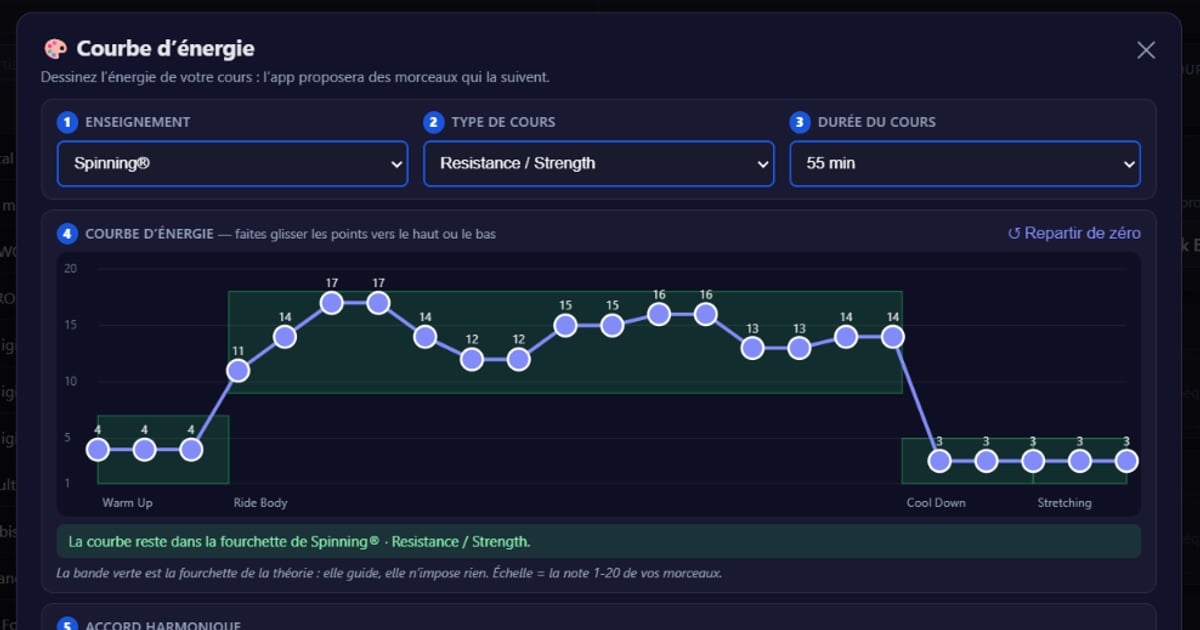
Quick Ride builds a class for you, from a standard profile. But most instructors already have their class in mind: where it climbs, where it breathes, how it ends. Version 2.2 brings them Quick Energy: you draw the energy curve of your class, and the app looks through your library for the tracks that follow it.
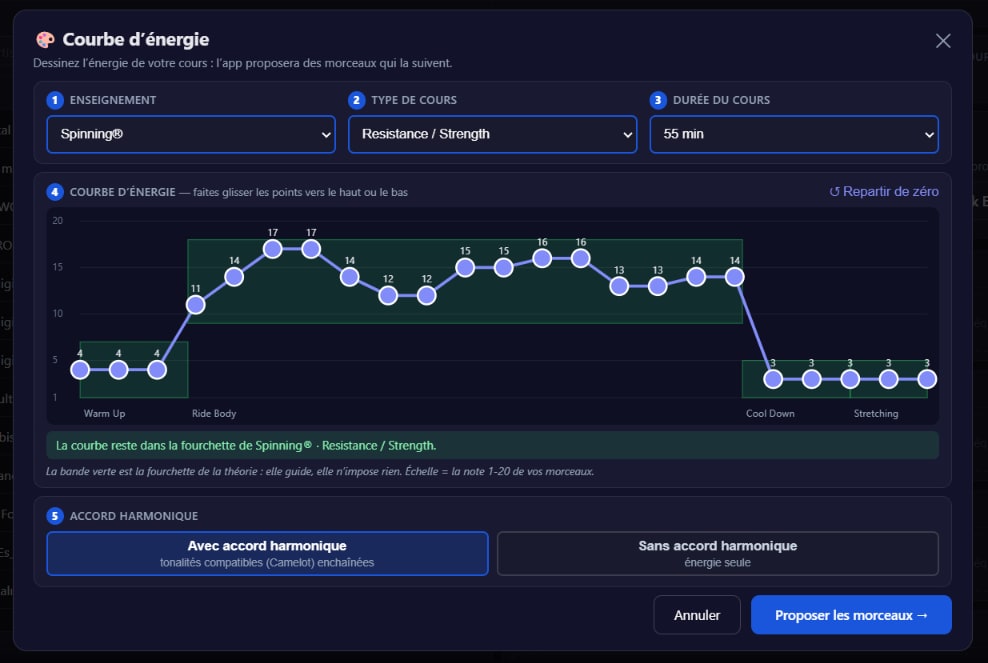
Five steps, on one screen
In an empty ride, click 🎨 Quick Energy, next to Quick Ride.
- Teaching, class type, duration. The theory of the class is known before you even start drawing.
- The energy curve. One point every 2 min 30: drag them up or down, on the 1-20 scale of your tracks. The green band shows the range of the theory for each zone: it guides, it imposes nothing. A point outside it turns orange, and you can keep it. Reset the curve brings back the starting curve.
- Harmonic mixing. With: compatible keys (Camelot) are chained. Without: only the energy counts.
- Propose the tracks. The preview shows the class in minutes, each track as wide as its duration: you recognise the profile you drew at a glance. 🔀 Other makes a new proposal.
- ⚡ Use this Ride opens the class in the Ride Builder.
How the app picks the tracks
- The curve is the picture of your class, not a list of tracks. 23 points over a 55-minute class do not make 23 tracks.
- Each track is compared with the curve over its whole duration. Among those that follow it within one point, the app prefers the longest: no class chopped into one-minute tracks.
- The theory is respected. The power of each track stays within the range of its zone, and so does its cadence.
- Cool Down and Stretching: few tracks, and long ones. It is a time to relax: the music does not change every thirty seconds.
- At least 60 seconds. A shorter track is meant for the overlays you build yourself: it is no longer proposed, neither by Quick Energy, nor by Quick Ride, nor by the 🎲.
Then, in the Ride Builder
The curve stays attached to the ride. The 🎲 of a track aims at the energy you drew at that point, within the range of the zone, and, with harmonic mixing, prefers a key compatible with its neighbours. A banner above the zones sums it up: "Concordance with the theory of …: x / y tracks compliant". Tracks to review carry a ⚠️.
Download
Version 2.2 is available on ridecomposer.com; an app that is already installed offers you the update. Not a customer yet? The free trial gives access to every feature, no credit card required.