2 November 2026
One QR code, and your riders follow the class on their phones
RideComposer 2.0.27: share the class intensity profile live. Your riders scan a QR code and follow it on their phones, with no app to install.
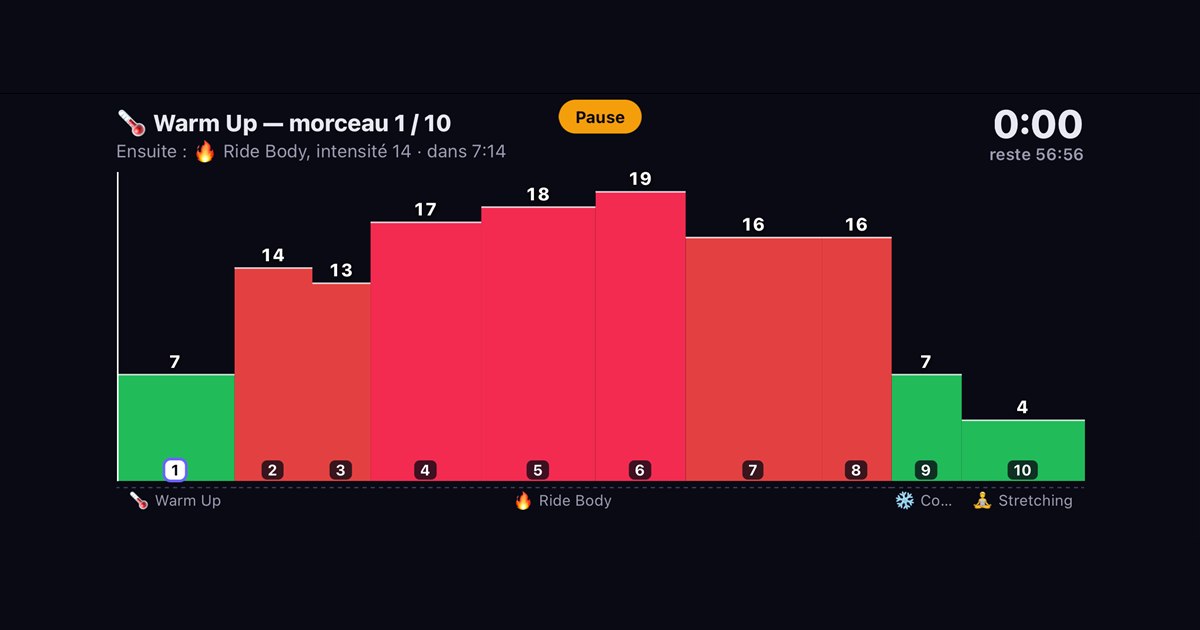
Many studios have no screen and no projector. Your riders then know neither where the class is, nor what is coming. Since version 2.0.27, RideComposer solves that: one QR code, and everyone follows the class profile on their own phone. No app to install.
What the rider sees
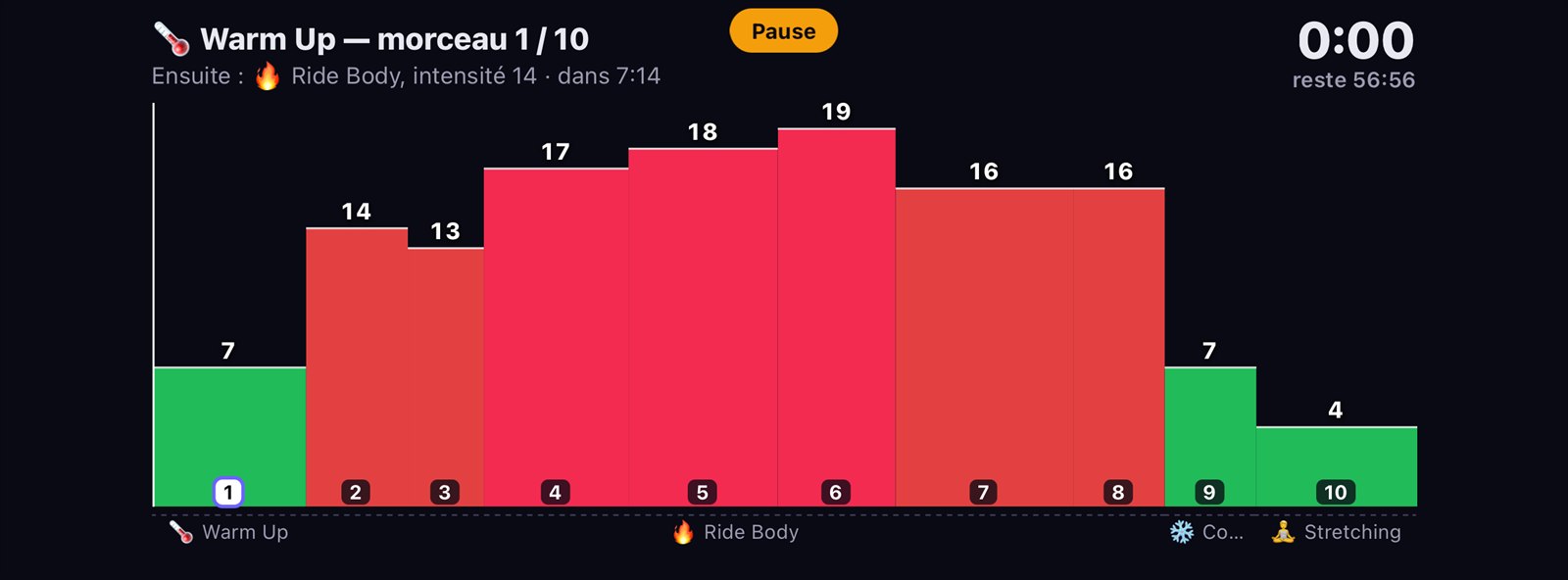
Their phone, held in landscape, shows the same thing as external screen 2: the intensity profile of every track, the current track, what comes next and the time left in the class. When you pause, a "Pause" banner appears.
Sharing it in three steps
- In Coach Mode, click the 📲 button.
- RideComposer checks the internet connection first. If it's missing, it tells you before showing any code: no bad surprise in front of the room.
- The QR code appears. Riders scan it with their phone's camera. A counter shows how many are connected.
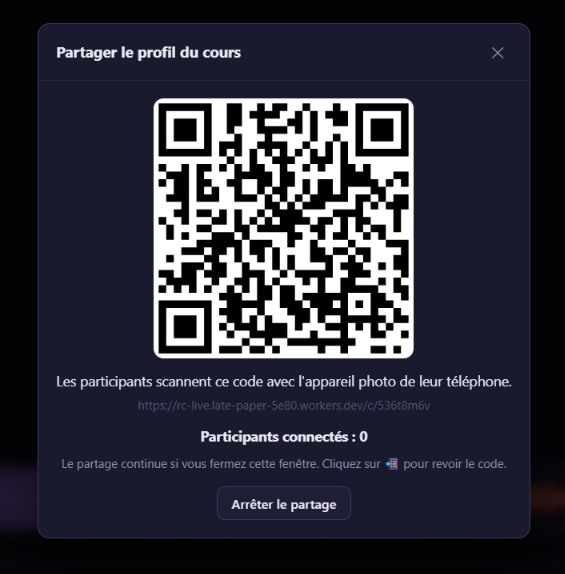
Sharing continues if you close the window. Click 📲 to bring it back; "Stop sharing" ends it.
Good to know
- You need internet. The PC must be online: your phone's 5G hotspot, or the studio's Wi-Fi. Riders' phones need internet too.
- No music is sent. The class profile is sent once, then simple time markers.
- If the connection drops, RideComposer warns you ("Connection lost: riders are no longer receiving the class") and tells you again when it's back.
- It's included in the Pro and Pro+ plans.
We tried it on a real phone, over 5G: it follows smoothly.
And if your studio has a screen?
The same profile can also appear on the external screen, full screen on its own or as a band under your video: see our article on the studio screen.
Download
Profile sharing is available since version 2.0.27, on ridecomposer.com.