21 September 2026
Fifteen short videos to get started with RideComposer
One hour of video in fifteen short guides, free and with no sign-up: from filling your library to Coach Mode, every feature shown on the actual screen.
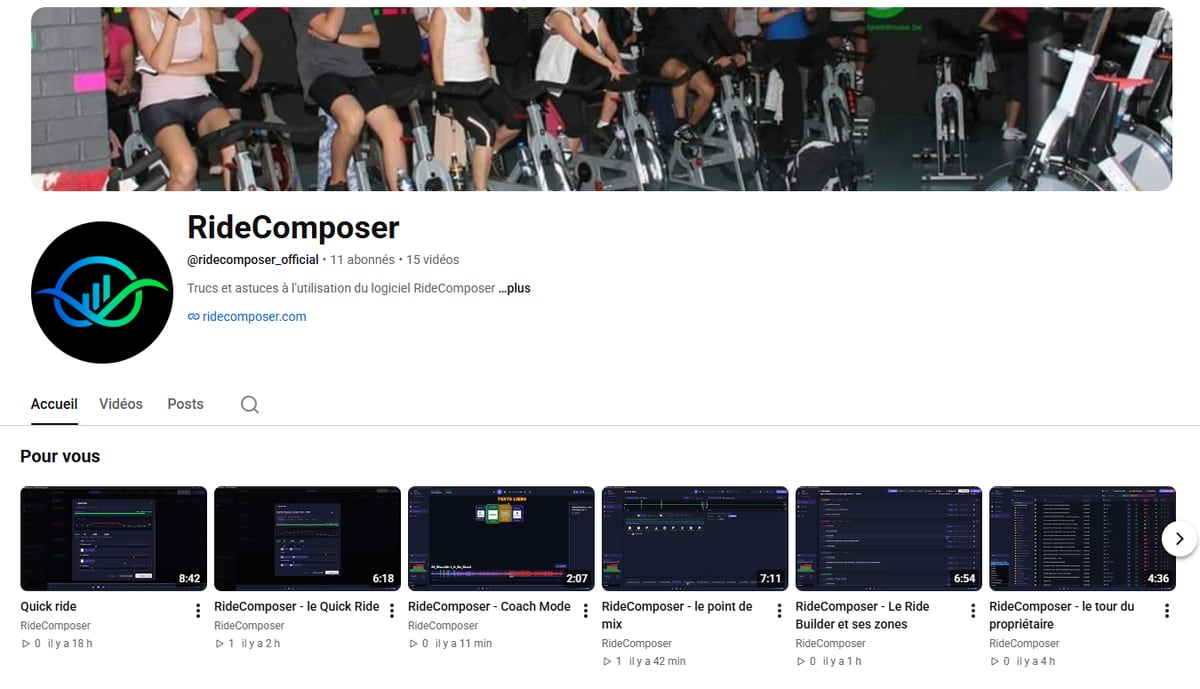
You don't learn software by reading about it. You learn it by watching someone use it.
Which is why the RideComposer YouTube channel now holds fifteen short guides — almost exactly one hour of video in total. Free, no sign-up, no account to create.
👉 youtube.com/@ridecomposer_official
Short videos, one question each
None runs longer than nine minutes. Most are under five. Each one answers a single question — "how do I fill my library?", "what is a mix point for?" — and then stops.
That's deliberate. An hour-long tutorial gets bookmarked and never watched. A four-minute one gets watched between two classes.
The order we'd suggest
New to the software? Take them in this order — each builds on the one before.
| Guide | Length | |
|---|---|---|
| 1 | The guided tour | 4:36 |
| 2 | Filling your library | 4:14 |
| 3 | Keeping your library accurate | 5:20 |
| 4 | Quick Ride | 6:18 |
| 5 | The Ride Builder and its zones | 6:54 |
| 6 | The mix point | 7:11 |
| 7 | Loops | 3:44 |
| 8 | The tempo curve | 3:03 |
| 9 | Changing the volume | 2:16 |
| 10 | Coach Mode | 2:07 |
Alongside them sit five older, shorter clips — changing a track's BPM, setting volume, connecting a second screen, video in Coach Mode — plus a longer 8:42 walkthrough of Quick Ride for anyone who wants that feature in full detail.
If you only have ten minutes
Watch the guided tour (4:36), then Quick Ride (6:18). Eleven minutes later you'll know where everything lives, and you'll have seen the software build a complete class on its own.
The rest can wait until you need it. That's the right moment to watch a tutorial anyway — when you already have the question in your head.
What these videos actually show
They aren't sales demos. They're recordings of the real screen, with real tracks, real waveforms, and the same buttons you have on your machine. When a video shows you where to click, that is where to click.
The series is narrated in French. Subtitles are available on every video, and YouTube's subtitle menu will translate them into your language.
What about the written manual?
It's still there, and nothing replaces it: the user manual exists in nine languages, and it's what you reach for when you need one precise detail. The videos do something else — they let you understand a gesture by watching it done.
Between the two, you've got just about everything you can ask of the software.
Subscribe to the channel to hear about the next ones — because there will be more, and you'll be the ones telling us which.