4 November 2026
Choose the energy of the next track, without learning the Camelot wheel
RideComposer 2.0.34: the musical key appears in the library, and when you fill a zone you choose the effect you want after the previous track: energy boost, drop or mood change.
Harmonic mixing has its wheel (the Camelot wheel), its vocabulary (8A, 5B…) and its reputation: it is thought to be reserved for DJs and very advanced instructors. Yet what it brings to a class is simple: knowing whether the next track will lift the group, bring it down, or keep the same mood. Version 2.0.34 puts this within reach of any instructor, without learning the wheel.
The key, in the library
The library has a new column, 🎼 Key: the track's key in Camelot notation (from 1A to 12B), sortable like the others. It is not calculated on import: on a large library, that would take very long. You ask for it with Maintenance → 🎼 Musical keys, on the displayed tracks (pick a folder to narrow the scope). The process can be interrupted with one click and resumes where it stopped.
RideComposer first reads the key written in the file — a Camelot value noted in the comment, for example by Mixed In Key. Failing that, it estimates it from the music. An estimate is not infallible: it is therefore shown in a dashed frame (with a "?" when it is uncertain), and the key written in the file remains the most reliable.
Energy, when you fill a zone
In the Ride Builder, the 🔍 magnifier of a zone opens the library to fill it. Under the banner, a new line recalls the track that comes before the insertion and its key, with eight buttons:
- ▼▼▼ ▼▼ ▼: an energy drop, more and more marked;
- =: the same key, the same mood;
- ▲ ▲▲ ▲▲▲: an energy boost, more and more marked;
- 🎭: a mood change.
Tick what you want, several choices are possible: the library then shows only the tracks whose key produces that effect after the previous track.
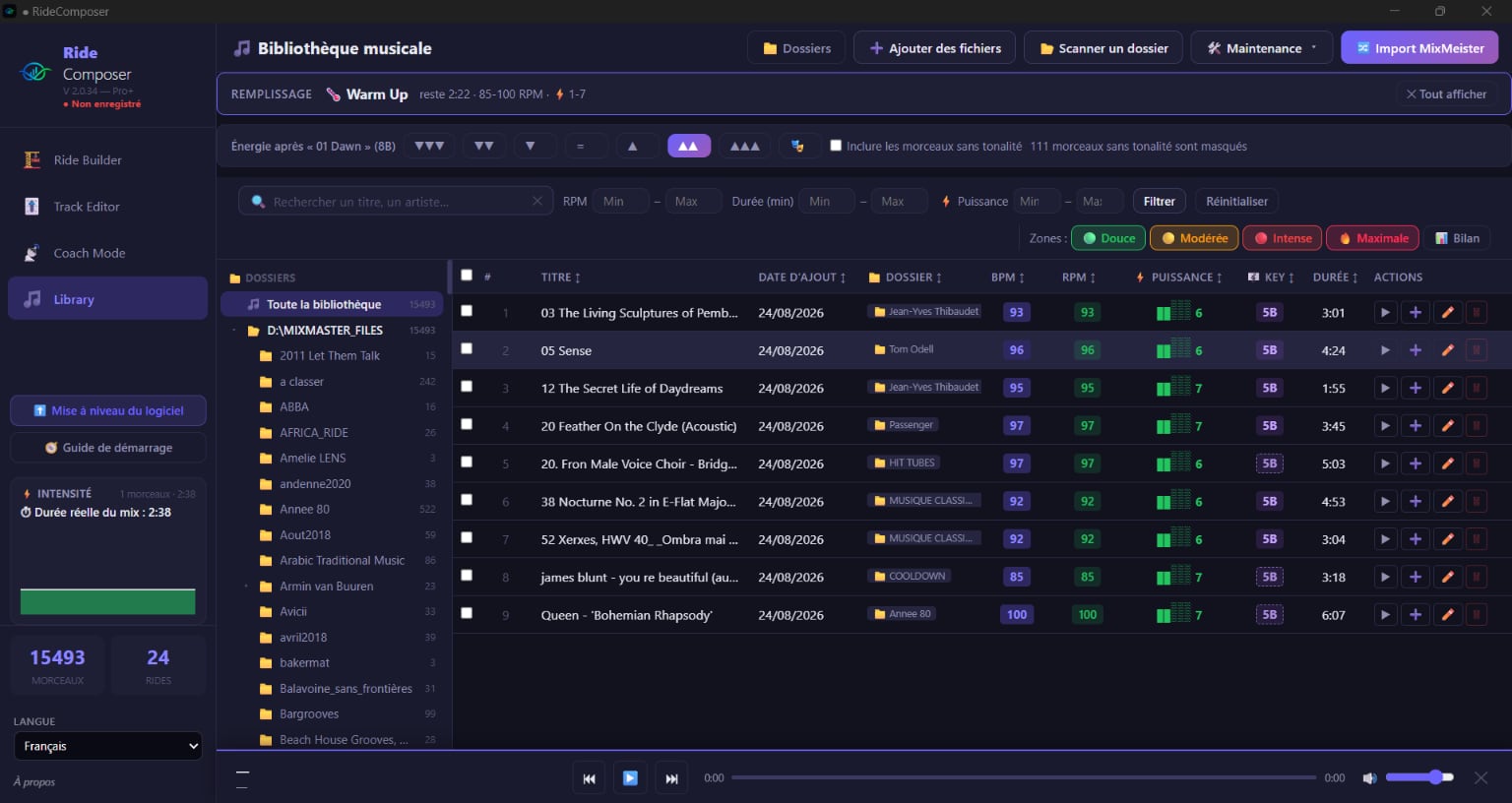
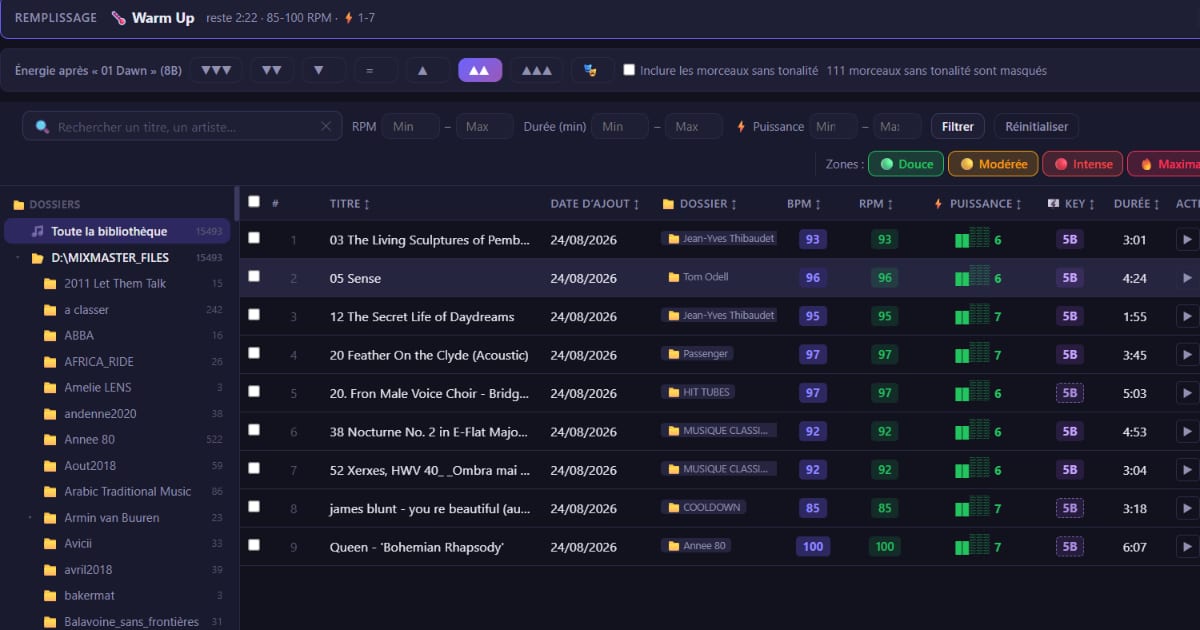
Here, after "01 Dawn" (8B), the ▲▲ button is ticked: every track offered is in 5B. Hovering over a button shows the keys it aims for.
Nothing is ticked at the start, so nothing is filtered, and everything can be unticked with one click. After each addition, the reference moves to the track you added: you can chain "▲, ▲, 🎭" without reconfiguring anything. Tracks without a key cannot be judged: they are hidden (the line says how many, 111 here), unless you tick "Include tracks without a key".
In the ride: a badge for each transition
In the Ride Builder, every row shows the track's key, then the effect from the previous track: "9A ▲▲", for example. An amber ⚠ flags two keys with no defined energy link: it is information, not a mistake. It is a quick way to reread a ride built by hand, or imported from MixMeister.
What to keep in mind
- "Energy" is the felt effect of the key change, not the intensity of the track. The zone's cadence and 1–20 power still apply, and the two filters add up.
- Quick Ride does not change: it keeps choosing according to the zones.
- Nothing is imposed: the selector is advice, not a rule.
Download
This version is available on ridecomposer.com. The key is described in §4.1, §4.4 and §4.7 of the user manual, the selector and the badges in §6.5 and §6.9.